Once inside the dashboard, navigate to Knowledgebase in the left hand navigation,
There are multiple ways to 'train' your agent;
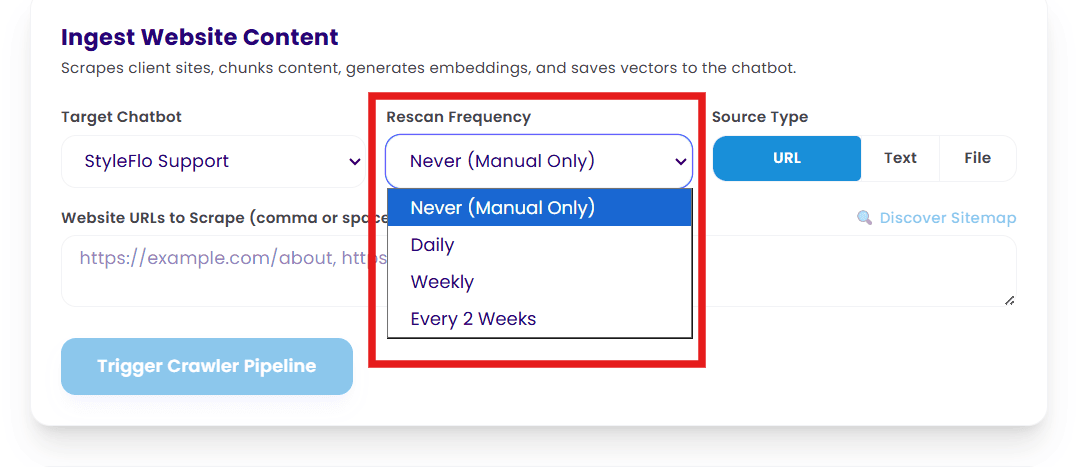
Website URL - If you add the website and then select 'Discover Sitemap' our server will return a list of urls for the scrapper to follow. Note: some websites do not allow scrapping, if this is the case you may need to add individual pages with a comma separating them, or with a different page URL on each line. You can also ask the agent to go back and check your website for new content on a daily/ weekly/ 2 weekly timeframe, handy if your updating products or adding new ones.
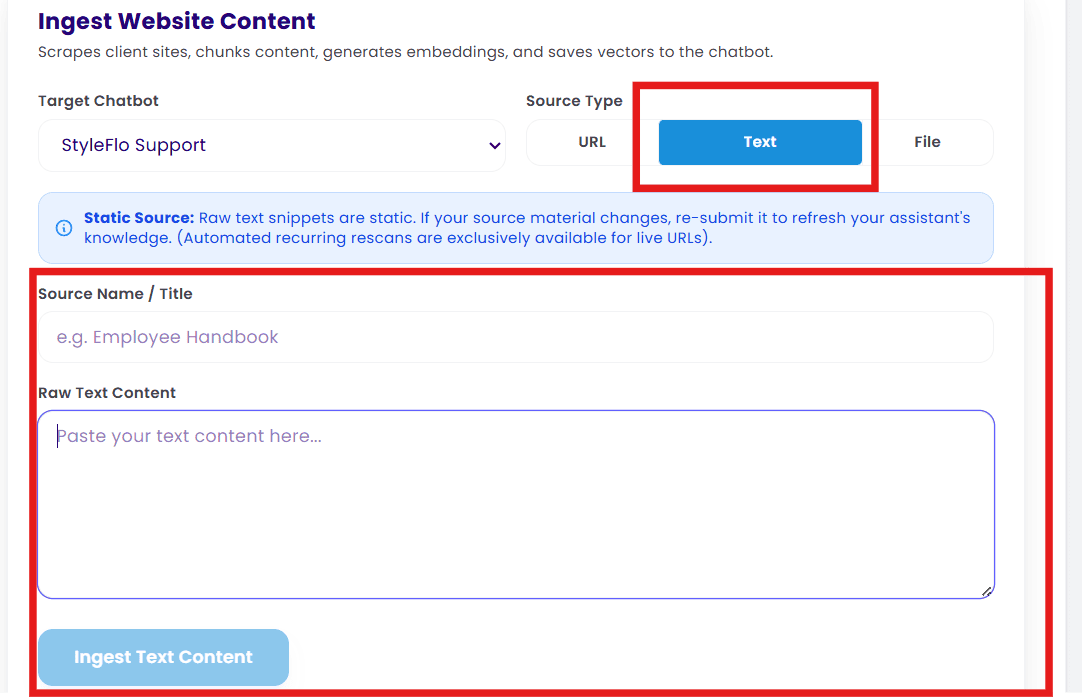
Text Entry - If it does still not work, you should try cutting and pasting the content directly into the text uploader. you can also use this area to add 'ad hoc' data like a 'sale for today only'
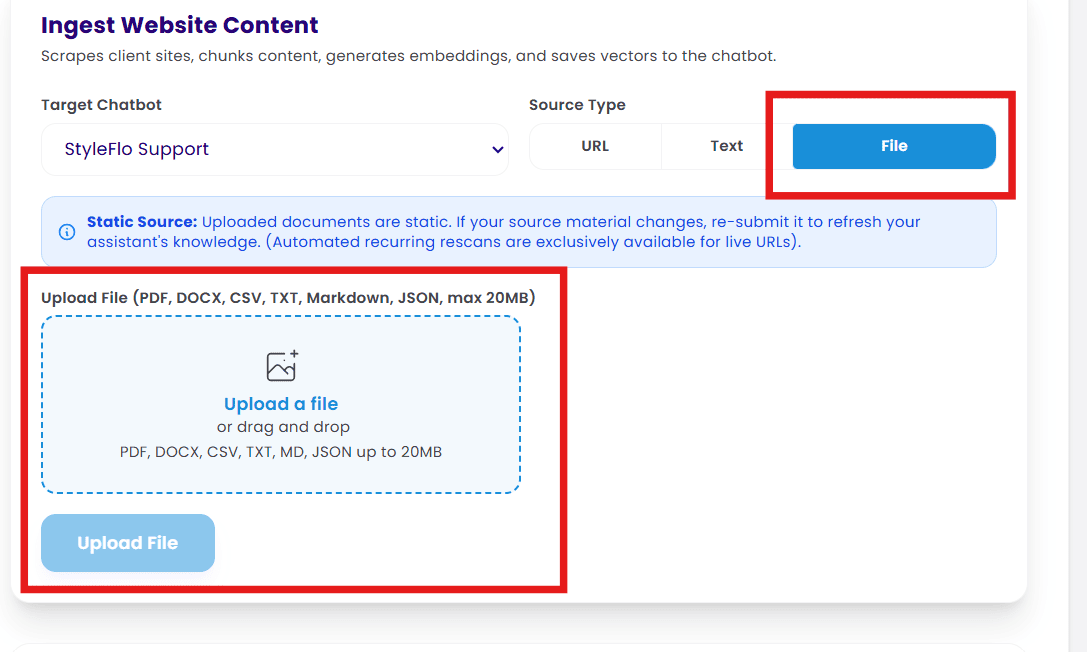
File Upload - filetypes that can be uploaded include PDF, DOCX, CSV, TXT, Markdown, JSON, with a max size of 20mb. If you upload a .pdf with images on it, the agent will only be able to read the text and may throw an error message.