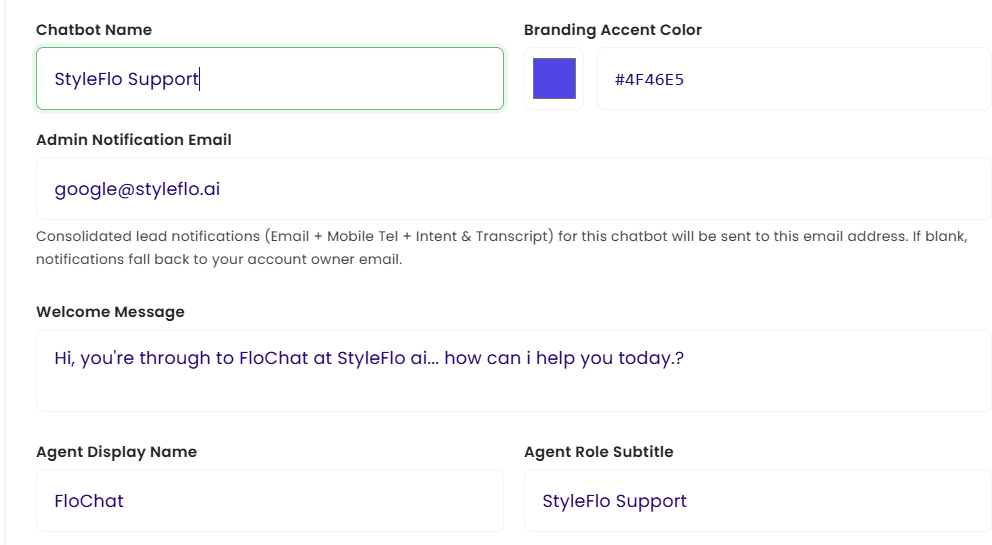
Once registered we have a dedicated area in which you will create your agent. Starting with;
- Agent Name - this is the name you will use to identify your agent eg. Receptionist, Front of House, Assistant.
- Branding Accent Colour - your business brand is important, if you are adding your agent to a website choosing your colour is important, it also affects the colours on the landing page we supply for FREE.
- Admin Notification Email - when your agent collects data on potential clients this is the email that will recieve that data
- Agent Display Name - the name you choose for the customer to see
- Agent Role Subtitle - where you describe the role of your agent eg. Out Of Hours Support Agent
- Welcome Message - How your agent will great your customers.
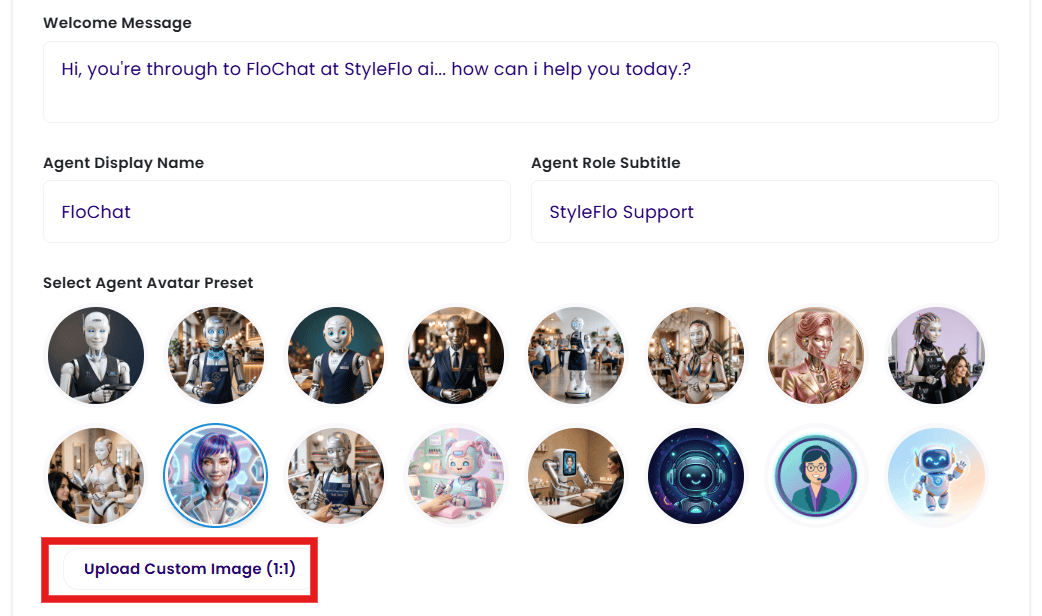
- Select Agent Avatar - the look of your agent is up to you, you can either use one of our faces, or upload your own, you can even use your business icon
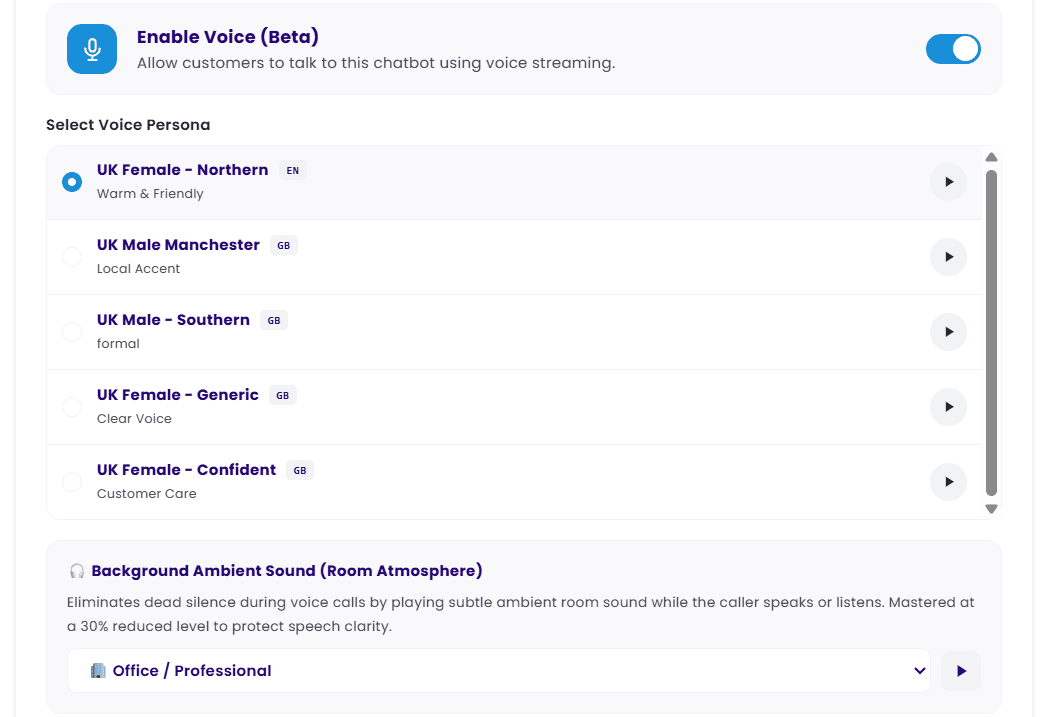
- Enable Voice - here you activate your agents voice, listen to then first then choose from the available options
- Background Noise - depending on your business type you can add an ambient noise to make the voice calls even more realistic